
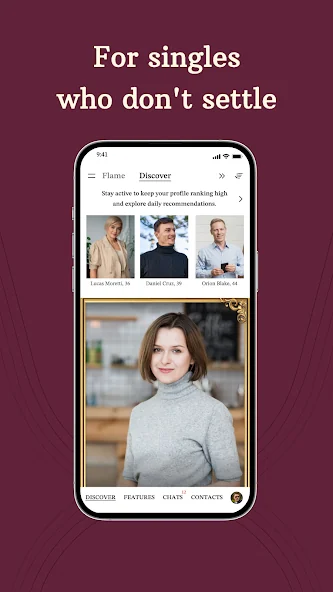
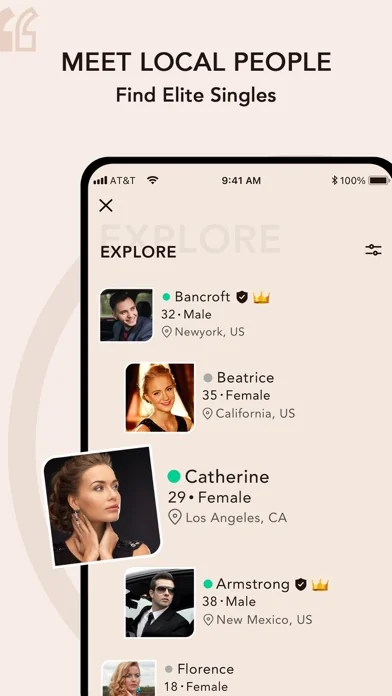
A Dating App for a Life Already in Motion
Mobile access is useful when your day does not leave long stretches at a computer. A quiet moment at home or a break between commitments can be enough to read a profile carefully or return to a conversation. The benefit is continuity, not a requirement to be available all day.
EliteSingles positions its mobile experience around educated, ambitious singles and meaningful connection. That makes it relevant to people who want more context than a passing impression. Your profession need not match another person's for the conversation to work; shared values, interest, and realistic availability may matter more. The audience guide explores those differences across work patterns and life stages.
Choose Your Platform and Keep One Account
There are verified listings for iPhone and Android. Use the platform-specific download button rather than an unofficial installer or a file shared by another member. If you already use EliteSingles on the website, the official help describes signing in to the app with the same account.
Our iPhone page covers the Apple experience and current compatibility information. The Android page focuses on Google Play, discovery preferences, and a manageable conversation routine. Installation and membership are separate decisions: app availability does not establish that every feature is free, and purchases can depend on the offer shown through your account and platform.
Give a Small Screen a Personal Introduction
A phone makes the first impression compact, so a recognizable photograph and specific opening text are especially useful. Make it easy for someone to identify you and understand something you enjoy. A tiny face in a distant landscape or a bio full of abstract qualities can leave too much unexplained.
The iPhone description includes Voice Introductions, which can offer another way to express tone when available. A brief, natural recording may communicate warmth more effectively than trying to write a perfectly polished line. Whatever medium you use, keep private contact details and sensitive routines out of a public introduction. The goal is to invite a conversation, not make your whole life searchable from a profile.
Discovery Should Lead to Attention
The current product descriptions emphasize matching preferences and information such as education, location, and personality. Use that context to decide where your attention could be worthwhile. You do not need to browse every possible profile to make meaningful use of an app.
Try reading a few relevant profiles with one question in mind: what would I genuinely like to ask this person? A specific answer gives you a better reason to contact them than habit alone. Keep preferences realistic and revisit them deliberately if the experience feels too narrow. The feature guide explains the purpose of discovery tools without promising that a particular selection will produce mutual attraction.
A Conversation Can Continue Without Taking Over
Mobile messaging is convenient when you use it in a rhythm you can maintain. Reply when you have enough attention to respond to the actual message. Short, distracted reactions throughout the day may create more activity without helping two people know each other better.
If your work makes daytime replies difficult, say so naturally. You can express interest and set an expectation at the same time. Device notification settings may help you control interruptions and lock-screen exposure, but the available options depend on your phone and app version. A dating app should support your life rather than require constant monitoring. Choose a routine that leaves room for the people and responsibilities already in it.
App or Website: Choose by the Task
| Task | Why a Phone May Help | Why the Website May Help |
|---|---|---|
| Return to an exchange | Convenient access during a quiet moment | A larger view when reading longer messages |
| Write a profile | Easy access to recent phone photographs | A full keyboard for drafting and editing |
| Understand a purchase | The offer tied to that app experience | More space to read terms carefully |
| Review settings | Device permissions and notification controls | Account information in a larger layout |
This is a comfort comparison, not a claim that every function is identical across platforms. Choose the route that makes the task clearer, and keep the same account where supported. Do not buy twice merely because you switch screens and are unsure where a benefit appears.
Downloading Is Different From Subscribing
The store listings identify in-app purchases, and the service distinguishes basic access from paid features. Read the offer attached to the action you want rather than assuming that a free installation provides unlimited communication or every premium benefit.
Our membership and cost explanation addresses public price differences and checkout details. Before authorizing a purchase, establish the total charge, covered period, renewal, and billing provider. Keep a receipt. Uninstalling an app is not a dependable way to stop subscription billing, so manage any paid plan through the appropriate account or store route.
Keep the Goal Outside the Screen
The product's current positioning emphasizes real connections and in-person potential. Use the convenience of an app to discover whether you would enjoy meeting, not to prolong a conversation indefinitely when both people are ready for a next step.
Choose a simple public plan and make the invitation easy to answer. A good app experience leaves you with enough context to take that step comfortably, while preserving the option to slow down or decline. The first-date guide helps with timing, venue, and confirmation. Download the platform that fits your phone, introduce yourself honestly, and let the conversation develop through mutual effort rather than notification volume.
Before your first mobile session, decide which part of the experience would help you most today. You might want to finish a profile, reply to someone interesting, or simply learn where account controls are located. Giving the session one purpose can make the app feel more useful and less distracting. End when that task is complete rather than continuing to browse only because the phone is already in your hand.