
Find the Current Elite Singles Android App
The verified Google Play listing is EliteSingles: Elevated Dating, with the package identifier com.elitesingles.dating. The current listing marks in-app purchases and describes a focus on meaningful, in-person connections. Use the download button here to reach that product rather than installing an unofficial file from a message or a third-party download site.
Google Play can show whether the app is available and compatible with your particular device and region. We do not publish a universal Android-version minimum where the current listing does not establish one for every device. If you also use an iPhone, the iOS guide covers that separate listing rather than assuming the two platforms have identical screens or requirements.
Turn Preferences Into a Useful Discovery Starting Point
The Android description identifies relationship preferences, education, location, and personality information as inputs to its matching approach. Begin with accurate information and realistic boundaries. A preference set should help you find people you could actually meet, not describe an ideal so narrowly that almost nobody fits.
Think first about practical compatibility: where you live, how far you can travel, and what kind of connection you want. Then leave room for someone with a different profession or interest to surprise you. If you are unsure whether the community's direction matches your situation, the audience-fit page looks at work patterns and life stages without treating a professional title as an eligibility test.
Read Beyond the Discovery Photograph
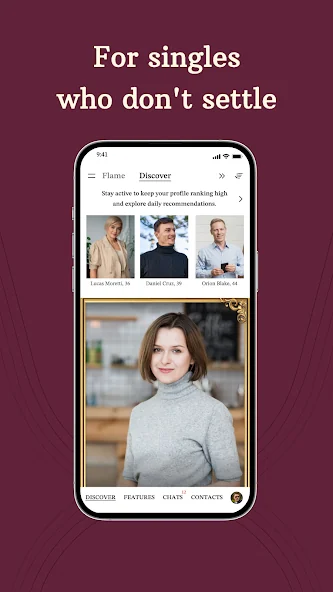
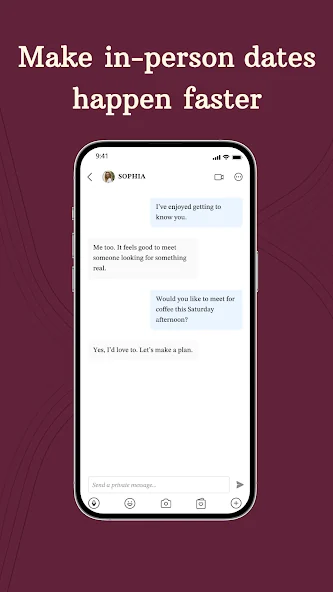
The official Android screenshots show profile, discovery, and chat presentation. Those screens make a compact impression, but the useful decision comes from reading the information around the photograph. Look for a shared interest or an aspect of the person's life you would genuinely like to understand.
Do not assume that a profile recommendation is an endorsement of character or a promise of mutual attraction. Equally, do not dismiss a person solely because their career is different from yours. A meaningful introduction often starts with how someone thinks, spends time, or describes a future relationship. The product feature guide explains how the available tools can provide context while leaving those judgments to you.
Move From a Profile Detail to a First Message
Choose one detail and respond to it. If someone enjoys a certain activity, ask about a recent experience. If they mention a hobby you are curious about, admit that curiosity rather than pretending expertise. A short personal contribution of your own helps the message feel like an exchange rather than a request for information.
The message examples cover several different openings and show how to follow up on an answer. Keep the pace comfortable and notice whether interest is reciprocal. The app provides a convenient place to continue, but constant messaging is not proof of compatibility. You can be engaged while still giving work, friends, and family your full attention at other times.
Fit the App to Your Android Device
Android devices differ in how they present notification, battery, and permission settings. Review the controls available on your phone rather than following a guessed universal menu path. If you miss a notification, check the app and system notification settings before concluding that a conversation has disappeared.
Think about what appears on your lock screen and what is visible when you share a device. Allow a permission when you understand the feature it supports, and revisit it if your needs change. Do not disable general device protections or install an unknown helper application to fix a dating-app problem. If a function consistently fails, record the behavior and device details for the official support route.
Keep Account Continuity When Switching Screens
The service's help material describes using the same account on its website and app. Sign in with the original email and password so your profile and conversations remain attached to the right identity. A new phone does not by itself require a new dating profile.
If the app looks unexpectedly empty, check whether you signed in with another address. If the password fails, use the service's recovery process rather than repeated guesses. The login guide separates account problems from device-specific errors. Avoid paying again simply because a purchase benefit is not immediately visible after a device change; establish the account and transaction details first.
Read Google Play Purchase Information Carefully
The presence of in-app purchases means installation is not a promise of complete free access. When an offer appears, inspect its total charge, covered period, renewal, and benefits. A product screenshot does not tell you which actions are included in your current membership.
If Google Play processes the purchase, keep the order record and use the appropriate Google account's subscription controls to manage it. Uninstalling an app does not reliably stop subscription charges. For website purchases, use the relevant service billing route instead. Our membership explanation helps you distinguish these cases and avoid treating every public price reference as the offer that applies to you.
Make a Real Meeting the Purpose of a Promising Chat
When a conversation becomes reciprocal and comfortable, consider a simple invitation that fits both schedules. A public coffee or casual lunch can be easier to agree on than an elaborate evening. Keep your own transport options and confirm the time and place together.
You can take this step at a pace that feels right. Android access makes it convenient to continue a conversation; it does not create an obligation to reply immediately or meet before you are comfortable. Begin with an accurate profile, use discovery deliberately, and give a relevant person your attention. The value of a dating app is the possibility it opens in real life, not the amount of time it keeps you on your phone.